
ESP32-S3 IDF编程第三课:按钮输入
ESP32-S3 IDF编程第三课:按钮输入
上面一个课程我们介绍了如何去点亮LED,这一节课我们来讲如何利用按钮之类的输入工具,输入信号到esp32
首先,我们一般的4个引脚的按钮是长这样的

如何快速接入呢?很简单,对角线接就行了
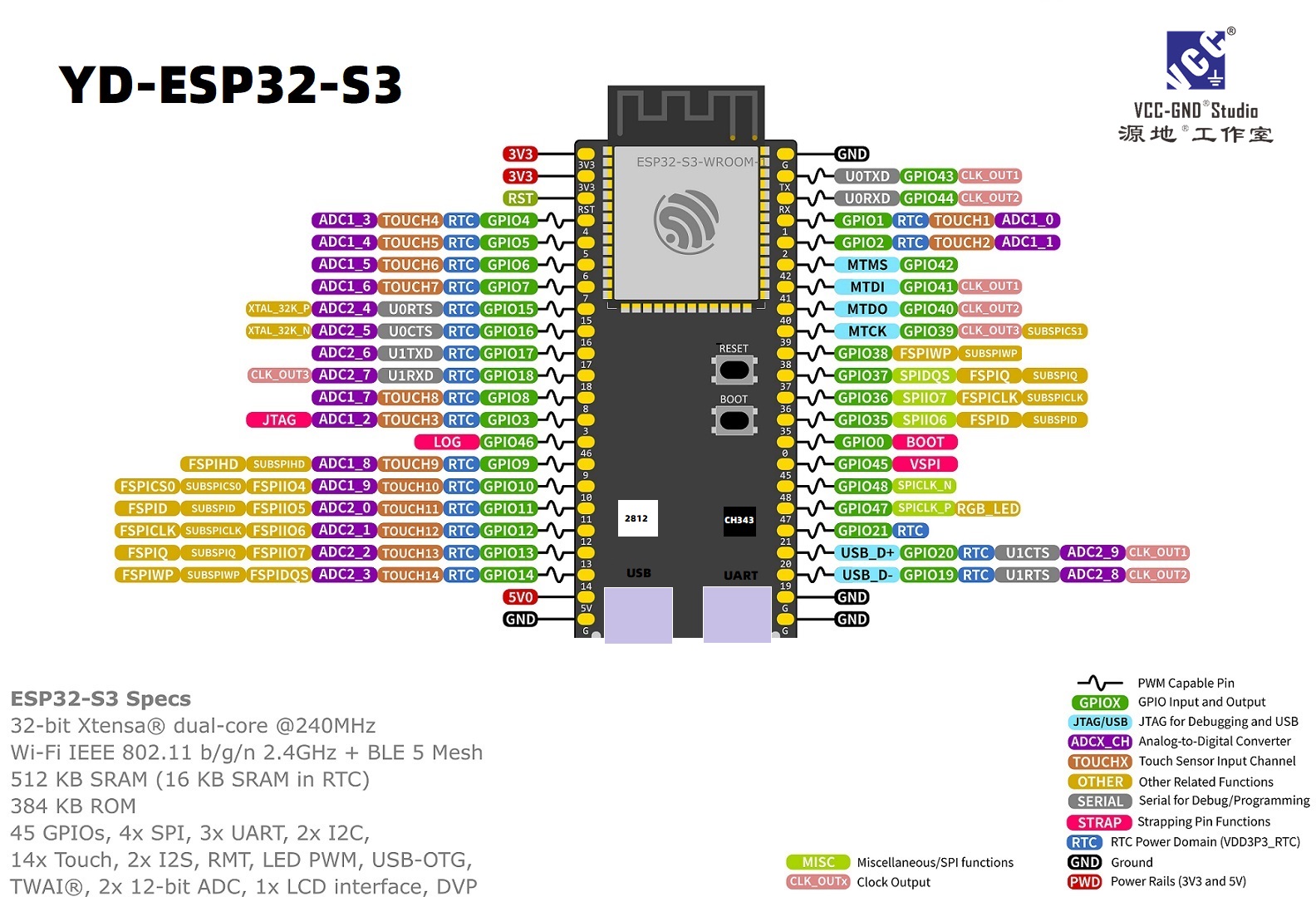
那么,怎么接呢?也很简单,一端接3.3v,一端接入对应的引脚即可
那么,代码与上一课大体上一样,只是稍有改动
1 | /* |
可以看到我们这里用了输入GPIO_MODE_INPUT功能这个也很简单
然后,我们这次用了轮询机制,来简单读取按钮
gpio_get_level就是读取引脚,输出1或者0,1是高电平,0是低电平
然后设置延时防止高占用
最后编译一下就可以了

本博客所有文章除特别声明外,均采用 CC BY-NC-SA 4.0 许可协议。转载请注明来源 EndianKun 端序君!
相关推荐
2026-04-08
ESP32-S3 IDF编程第四课:中断
ESP32-S3 IDF编程第四课:中断上一节教程里,我们用轮询的方式读取按键状态,虽然能用,但有个挺烦人的问题——CPU得一直空转等着,白白浪费了单片机的性能。 有没有更聪明的办法?当然有,这就是咱们今天的主角:中断。 什么是中断?打个生活中的比方你就懂了: 轮询:就像你每隔5秒抬头看看门口有没有人,哪怕根本没人来,你也得一直抬头、低头、抬头……累不累? 中断:就像门铃。平时你该看书看书、该喝茶喝茶,门铃“叮咚”一响,你再去开门。 ESP32-S3的中断就是这个意思:按键按下的瞬间,会产生一个电信号,CPU会立刻暂停手头的活儿,跑去执行一段专门处理按键的代码(这叫中断服务函数),处理完了再回来接着干刚才的事。效率直接拉满。 硬件接线接法和上一课一模一样,不用改: 按键一脚接 3.3V 另一脚接 GPIO2 重要提醒:最好给GPIO2接个下拉电阻(比如10kΩ到GND),或者像我们代码里做的那样,直接启用内部下拉。不然引脚悬空,电平飘忽不定,可能会瞎触发中断。 上代码,直接看下面就是完整的中断实现,别被代码长度吓到,核心就那几步,我慢慢拆解。 12345678910111...
2026-04-06
ESP32-S3 IDF编程第二课:点亮一个LED灯
ESP32-S3 IDF编程第二课:点亮一个LED灯 其实,我们一开始学单片机,都是从点灯开始的,那么esp32也不例外,我们学会了如何去编译项目以后,就可以去初步写一个属于自己的程序。 那么本次教程就是教你如何去初步点亮LED灯 什么是LED灯 LED 是 Light Emitting Diode(发光二极管)的缩写,是一种能将电能直接转化为光能的半导体器件。 那么如何区分正负极 长的引脚正极,短的负极 简单知道这个,在硬件上你就懂了 esp32哪些引脚是可以使用的 从这张图片可以得知,这款单片机外设十分丰富,iic spi adc 之类有很多,但今天,我们主要是点灯,关注gpio就行了,任选一个gpio接口即可 把正极接入gpio,负极接到gnd就行 下面我们来写程序 123456789101112131415161718192021222324252627282930313233/* * SPDX-FileCopyrightText: 2010-2022 Espressif Systems (Shanghai) CO LTD * * SPDX-License-Ident...
2026-04-10
ESP32-S3 IDF编程第八课:ADC模拟输入 —— 让单片机"看见"真实世界
ESP32-S3 IDF编程第八课:ADC模拟输入 —— 让单片机”看见”真实世界 上节课我们学会了任务间的”悄悄话”,这节课让ESP32-S3睁开”模拟眼睛”——ADC,从此数字世界与模拟世界不再绝缘。 你可能会问:GPIO不是能读高低电平吗?为什么还要学ADC? 来,看个真实场景: 你想做个光线感应灯,光敏电阻的阻值随光线变化,但GPIO只能判断”亮/暗”两种状态 你想做个温度监测仪,热敏电阻的电压随温度变化,但GPIO读不出具体温度值 你想做个电池电量显示,锂电池电压从4.2V降到3.0V,但GPIO只能判断”有电/没电” 这时候,你就需要ADC(Analog-to-Digital Converter,模数转换器)——它能把03.3V之间的任意电压,转换成04095之间的数字值。就像一把精密的尺子,把模拟世界切成4096个刻度! 一、ADC是什么?1.1 数字 vs 模拟想象你调节台灯的亮度: 数字方式:只有”开”和”关”两档(GPIO的高低电平) 模拟方式:可以平滑地从最暗调到最亮,中间有无数个亮度级别 现实世界中,温度、光线、声音、压力都...
2026-04-16
ESP32-S3 IDF编程第九课:I2C通信与OLED显示 —— 让数据"看得见"
ESP32-S3 IDF编程第九课:I2C通信与OLED显示 —— 让数据”看得见” 上节课我们用ADC采集了电压值,但只能对着串口调试助手看数字。这节课让数据”跳”到屏幕上——I2C通信 + OLED显示,从此告别”盲调”。 你可能会问:串口打印不也能看数据吗?为什么还要学I2C和OLED? 来,看个真实场景: 你做了个电池电量监测仪,总不能一直插着电脑看串口吧? 你做了个温湿度传感器,想挂在墙上实时显示,没屏幕怎么行? 你做了个小型示波器,要把波形画出来,串口可画不了图 这时候,你就需要I2C通信和OLED显示屏——I2C是连接传感器的”标准语言”,OLED是让数据”可视化”的最佳选择。128×64的分辨率,能显示8行文字,功耗还低,简直是嵌入式开发的神器! 一、I2C协议是什么?1.1 从生活类比理解I2C想象I2C是一条双向单车道马路: SDA(数据线):运送数据的”货车” SCL(时钟线):指挥交通的”红绿灯” 上拉电阻:确保没车的时候路面是”高电平”(空载状态) 设备地址:每个设备的”门牌号”,主机靠这个找到从机 关键特性: 只需要2根线(SDA + S...
2026-04-08
ESP32-S3 IDF编程第五课:定时器中断 —— 做个优雅的时间管理者
ESP32-S3 IDF编程第五课:定时器中断 —— 做个优雅的时间管理者 上节课我们用外部中断解放了CPU,这节课教ESP32-S3自己掐表干活——硬件定时器,比闹钟还准。 你可能会问:vTaskDelay 不是也能延时吗?为什么非要硬件定时器? 来,看个真实场景: 你想让LED精确每1.000秒闪烁一次 —— vTaskDelay(1000) 只能保证至少停1秒,实际可能是1.003秒、1.015秒……因为FreeRTOS调度器会有抖动。 你想每50微秒采集一次ADC,做高速数据采集 —— vTaskDelay 根本做不到微秒级。 你想在按键消抖时,启动一个20ms的定时器,20ms后再确认按键 —— 用软件延时 vTaskDelay(20) 会阻塞CPU,浪费性能。 硬件定时器就是为解决这些问题而生的:它独立于CPU运行,时间到了直接触发中断,精准到微秒。 这节课你会学到 硬件定时器的基本原理(时钟源、计数器、报警值)。 两种时钟源的区别:APB(高速,可能波动) vs XTAL(低速,绝对稳定)。 用定时器中断实现精确1秒LED闪烁。 用定时器中断做“优雅的按键消抖...
2026-04-09
ESP32-S3 IDF编程第六课:硬件PWM —— 让LED呼吸、舵机听话
ESP32-S3 IDF编程第六课:硬件PWM —— 让LED呼吸、舵机听话 上节课我们用硬件定时器实现了精确1秒闪烁。但你有没有想过:如果把定时器再升级一下,让它能控制”亮多久、灭多久”的比例,会是什么效果?这就是这节课的主角——PWM(脉宽调制)。 你可能会说:”PWM不就是方波吗?我直接用定时器中断配合GPIO翻转也能模拟啊!”没错,第四课我们确实可以这样干,但有两个致命问题: CPU累死:哪怕只是50Hz的舵机信号,每秒100次中断翻转GPIO,CPU就围着它转。 波形不准:中断被其他高优先级任务抢占,波形就会抖,舵机就会”帕金森”。 ESP32-S3有一个专门的硬件模块叫 LEDC(LED PWM Controller),它本质是”带比较输出的硬件定时器”,配置完就不用CPU管了,波形稳得像老狗。 这节课你会学到 PWM的三个核心参数:频率、占空比、分辨率——彻底搞懂它们的关系。 ESP32-S3的LEDC模块深度解析(为什么只有低速模式、内部结构、时钟树)。 LED呼吸灯实验——用正弦函数实现丝滑呼吸效果。 舵机控制实战——驱动SG90,精准控制角度,附校准秘籍...
评论